
Simple Notes Pro
Simple Mobile ToolProductivity
4.7358.00 Reviews
- Version
- 6.17.0
- Installs
- 100.00K
- Age Rating
- Everyone
Screenshots

Our Review of Simple Notes Pro
 Analysis by Appyee
Choosing a notes app is less about collecting features than deciding how much structure you actually want. I’d ask myself whether I need a fast place for short reminders, a system for managing larger projects, or a searchable archive for long-term reference. Simple Notes Pro is most appealing when the first need comes up often: capturing a thought quickly and finding it again without turning note-taking into another task.
That distinction matters because a notebook can quietly become a second to-do list, a filing cabinet, and a planning tool all at once. I find it useful to decide what belongs in an app before moving everything into it. Short lists, recurring household reminders, and snippets I want to revisit suit a lightweight setup; complex projects with dependencies and shared responsibilities may call for a different kind of tool.
Start with the job you need done
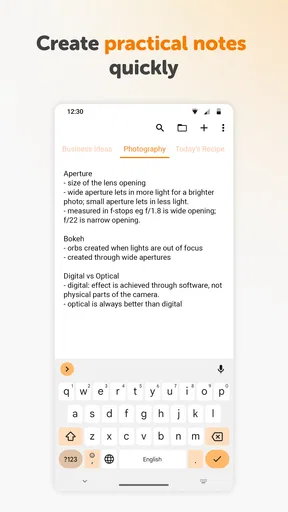
For an everyday note keeper, the important questions are practical: Can I open it and start writing quickly? Can I sort the things I save in a way I’ll remember? Will I still be able to reach a note when I need it? The app’s focus on notes, checklists, and a home-screen widget points toward quick capture and simple personal organization rather than elaborate project management.
I’d also think about where notes are made. If I mostly save small items while moving between errands, a widget can make the act of recording them feel less like a chore. If I spend the day coordinating with coworkers or need one task to trigger another, I’d compare dedicated task managers instead of assuming a notebook will handle every planning problem.
A lightweight notebook for daily organization
Ever found yourself drowning in a sea of notes, trying to keep track of everything from recipes to random musings? Yeah, me too. That's where Simple Notes Pro swoops in to save the day. It's like having a personal assistant in your pocket, minus the coffee runs.
A Delightfully Minimalist Approach
Okay, so first things first, Simple Notes Pro is exactly what it says on the tin: simple. But don’t let that fool you into thinking it’s lacking in features. The app’s minimalist design is refreshing, especially if you’re used to cluttered note-taking apps that try to do too much. Here, it’s all about efficiency and ease of use.
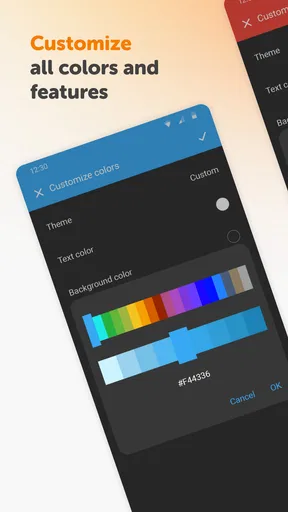
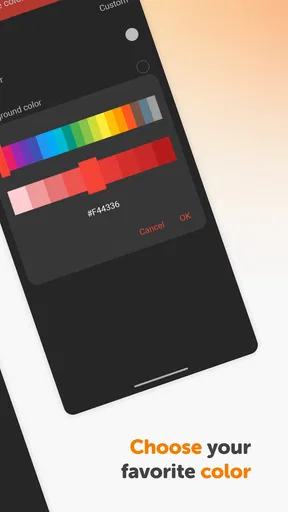
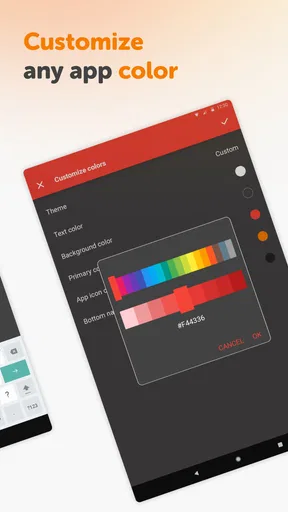
That stripped-back approach is a real benefit when I want to save something and get back to what I was doing. It also asks me to be a little intentional: a short title, a sensible color choice, or a consistent naming habit can make a small notebook much easier to browse later. I wouldn’t treat color as a complete filing system, though. A few meaningful categories are easier to remember than a rainbow of one-off choices.
Features That Stand Out
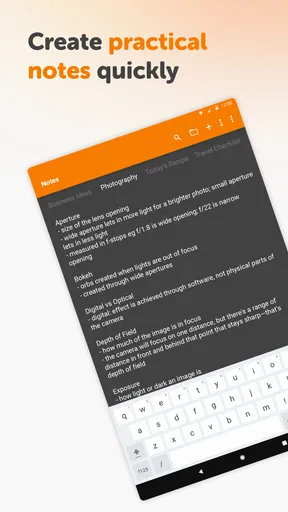
The app offers a straightforward interface where you can easily jot down your thoughts. Creating a new note is a breeze—just tap, type, and you’re done. But the magic happens when you start exploring its features:
- Organizational Prowess: You can effortlessly categorize notes by color, which is a lifesaver for visual organizers like me.
- Search Functionality: The search bar is robust, helping you locate even the most obscure note from your collection.
- Sync Across Devices: Keeping your notes handy across all your gadgets is seamless with its auto-sync feature. It's like having your brain backed up in the cloud.
A useful habit is to write notes so they will be searchable later, not just understandable in the moment. For example, a shopping note labelled with the shop or occasion is easier to find than one called “stuff,” even if both contain the same items. Search works best when I remember at least one distinctive word from the note, so I try to include the product, person, or reason I’ll use to look it up.
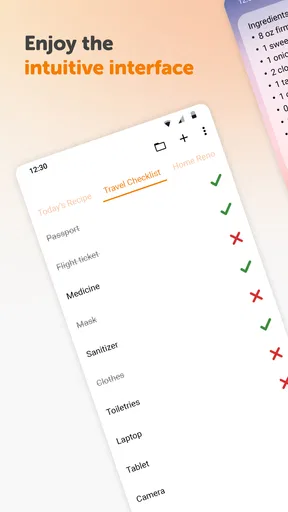
For errands, I’d keep a running list separate from longer reference notes such as a recipe or a packing reminder. That makes a checklist practical to scan while I’m out, while keeping useful details from being buried among items I’ve already bought. The trade-off is that a simple notebook still relies on me to maintain that separation; it won’t decide what deserves its own note.
Usability at Its Finest
Let’s talk about the user experience. From the moment you open the app, it feels intuitive. There's no learning curve, which is a huge plus if you’re someone who values your time. The developers have clearly focused on creating an app that does its job without unnecessary frills.
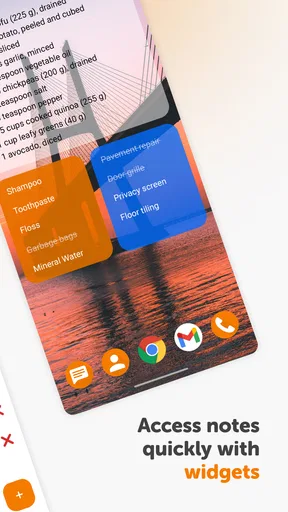
One of my favorite aspects is the customizability. Whether you want a dark theme for late-night scribblings or prefer to brighten things up during the day, Simple Notes Pro has you covered. Plus, there’s a widget option for your home screen, which is perfect for quick access.
The widget is especially useful when I’m trying to capture something before I forget it: a quick household job, a detail from a conversation, or an item to pick up on the way home. I’d use it as a doorway into the notebook, not as a substitute for reviewing the list. A glanceable reminder helps me remember what I wrote, but it still takes a deliberate check-in to cross off completed items and remove notes that are no longer useful.
When another kind of app makes more sense
Compared with a full-featured note platform, this kind of focused notebook is easier to approach but less suited to building a deep reference library with elaborate pages and connected material. If I were collecting research, arranging lengthy project documentation, or collaborating on shared notes, I’d look at alternatives designed around those jobs. They may offer more structure, but that extra structure can feel like overhead when all I need is a quick list.
A dedicated task manager is another better fit when the core problem is deadlines, reminders, and coordinating work rather than writing things down. A calendar is preferable for appointments that must happen at a particular time. I wouldn’t expect a notes app to replace either: putting a time-sensitive commitment in a general note can make it easy to overlook, even if the note itself is neatly organized.
For a low-friction personal routine, I’d use the notebook for information and small checklists, then keep fixed appointments in a calendar. That division avoids asking one tool to behave like several different tools. It is also a sensible choice for people who want their notes separate from work systems or who simply find large productivity suites distracting.
Keeping It Secure
In today’s digital age, security is non-negotiable. The app doesn’t disappoint in this area. With options for password protection and biometric login, you can rest easy knowing your notes are safe from prying eyes.
I’d still be careful about what I choose to store in any personal notebook. A lock can add a useful barrier for casual access, but it shouldn’t turn an ordinary notes app into a vault for information that needs specialized protection. For everyday private reminders, those access options may be reassuring; for sensitive records, I’d choose a service intended for that level of security.
A realistic routine, and the friction to expect
Picture a weekday morning: I notice that the kitchen is low on a few basics, remember a parcel I need to collect, and think of a question for later. I can put the shopping items on a checklist, save the parcel reminder as a short note, and capture the question before leaving. At the shop, the checklist is the useful part; once home, I can clear out what is done and keep only the reminder that still matters.
The weak point in that routine is not the act of writing but the upkeep. If I leave completed errands mixed with current ones, or make a separate note for every passing thought without a naming pattern, finding the right item becomes less effortless. A weekly tidy-up—deleting stale reminders, updating lists, and keeping lasting information apart from one-day tasks—can prevent a small notebook from turning into another pile to sort.
That maintenance is also the main trade-off of choosing simplicity over a more structured organizer. People who want automatic scheduling, team workflows, or a detailed project overview may find themselves doing too much by hand. I’d skip this approach if I know I won’t revisit my notes, or if other people need to edit and coordinate them with me.
What switching really involves
Moving to a simpler notebook works best as a gradual change rather than a hurried bulk transfer. I’d start with the notes I use every week, such as a current shopping list or a set of household reminders, and leave old reference material where it is until I have a reason to bring it over. That keeps the new setup useful from day one and avoids spending an evening sorting notes I may never open again.
Before relying on any app as the home for important information, I’d also test my own routine: create a few notes, try the search with words I would genuinely remember, and check that the widget fits how I use my home screen. If I depend on access across devices, I’d make sure the syncing behavior works for my devices in practice. A feature is only helpful if it fits the way I actually retrieve information.
The price is $1.19, so I’d judge it as a paid, focused utility rather than assume it needs to replace every organizer I use. Its rating averages 4.7 from around 5,400 ratings, and it has over 100,000 installs. Those figures suggest it has found an audience, but my decision would still come down to whether a compact notebook suits my habits.
Why It’s Worth Your Time
So, why should you consider switching to Simple Notes Pro? For one, it’s a hassle-free way to keep your life organized. Whether you’re a student, professional, or just someone who loves jotting down thoughts, this app caters to all.
In practical terms, I think it suits someone who prefers personal, quick-access notes over a heavily structured workspace. The developer is Simple Mobile Tool, and the app sits in the productivity field without making itself feel like a full planning system. It is rated for Everyone, runs on Android 6.0 and later, and its current version is 6.17.0; it was released on November 8, 2018.
That makes the audience broad, but not universal. A student could keep a short reading checklist or quick reminders here, while still choosing a richer tool for class materials that need extensive organization. Someone managing a household might appreciate a visible shopping list, while a project lead who needs shared ownership and deadlines should probably keep using a purpose-built work planner.
Another standout feature is its offline accessibility. Even if you’re off the grid, you can still access and edit your notes, which is a huge plus for those of us who get inspired in the most unexpected places.
Offline access is valuable for jotting something down during a commute or in a place with unreliable reception, but I’d still distinguish local convenience from a dependable backup routine. If a note matters beyond the day, I’d check that it remains available where I expect it after syncing and avoid keeping the only copy of important information in a single place. That small precaution matters more than having a long list of features.
Final Thoughts
Wrapping things up, Simple Notes Pro is a gem for anyone looking to streamline their note-taking process. It manages to strike that perfect balance between simplicity and functionality. Sure, it might not have all the bells and whistles of some other apps, but that’s precisely what makes it so appealing. It’s like a breath of fresh air in the chaotic world of digital organization.
My recommendation is straightforward: choose it if you want a calm, personal place for short notes and checklists, and you’re happy to keep the contents tidy yourself. Look elsewhere if your daily work depends on shared editing, calendar-driven reminders, or complex project tracking. The best choice is the one that makes your actual routine easier, not the one with the longest feature list.
Whether you're jotting down your grocery list or planning a world domination strategy, this app has got your back. So, if you’re ready to declutter your digital note space, give Simple Notes Pro a whirl—you might just wonder how you ever lived without it.
Verdict
Strengths of Simple Notes Pro
- User-friendly interface for quick note-taking.
- Seamless cloud sync across all devices.
- Customizable themes for personalized experience.
- Efficient search function for easy access.
- Offline mode available for uninterrupted use.
Limitations of Simple Notes Pro
- Lacks advanced organization features.
- No collaboration tools for shared notes.
- Limited export options to other formats.
- Ads in free version can be intrusive.
- No password protection for individual notes.
Other Releases by Simple Mobile Tool
View All
Simple Voice Recorder
Music & Audio4.4

Simple Calendar Pro
Productivity4.6
Similar Picks in This Category
View All
Google Calendar
Google LLC4.6

Google Drive
Google LLC4.3

Google Assistant
Google LLC3.9

Microsoft OneDrive
Microsoft Corporation4.6

Samsung Calendar
Samsung Electronics Co., Ltd.4.1

Microsoft OneNote: Save Notes
Microsoft Corporation4.6
Frequently Asked Questions
What features does Simple Notes Pro offer?
Simple Notes Pro offers a range of features designed for efficient note-taking. Users can enjoy customizable themes, organize notes with tags, set reminders, and sync notes across multiple devices. Additionally, the app supports voice-to-text conversion and includes a search function to quickly find notes.
Is Simple Notes Pro available offline?
Yes, Simple Notes Pro allows users to create and edit notes offline. This feature is particularly useful for individuals who need to take notes in areas with limited internet connectivity. Once reconnected to the internet, the app will sync your changes across all devices.
Does Simple Notes Pro have any security features?
Simple Notes Pro prioritizes user privacy and includes security features such as password protection and biometric authentication. This ensures that sensitive information stored within the app is secure from unauthorized access, providing peace of mind for users who value data security.
How does syncing work in Simple Notes Pro?
Syncing in Simple Notes Pro is seamless and automatic. The app uses cloud storage to ensure that all changes made to notes are updated across devices in real-time. Users need to create an account and log in to enable this feature, ensuring notes are always accessible.
Is there customer support available for Simple Notes Pro?
Yes, Simple Notes Pro provides extensive customer support through various channels. Users can access a detailed FAQ section, submit queries via an in-app contact form, or reach out through email. The support team is responsive and ready to assist with any issues or questions.
